

Entering the Name of an Ancestor
You enter the name of the ancestor you are looking for as follows:
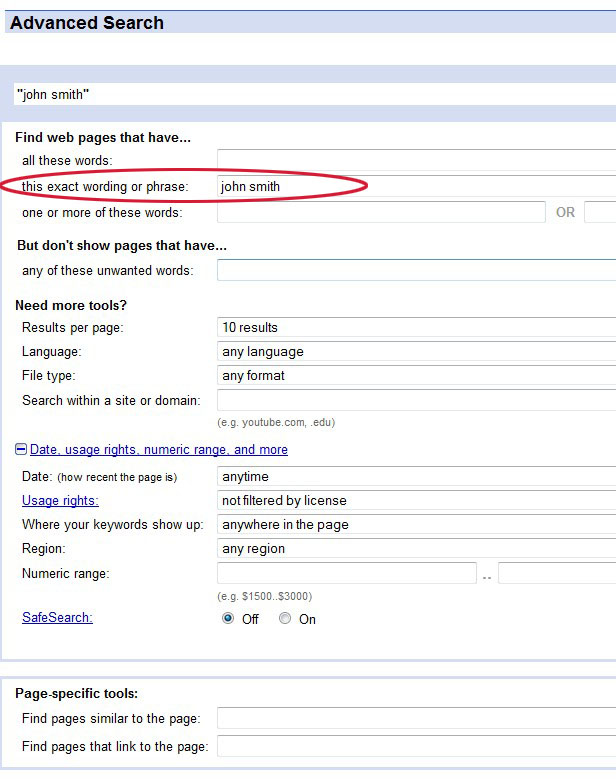
A couple of things to note about entering names into Google:
• On the Advanced Search page you do not have to surround the name in quotes.
• Google is not case sensitive. In fact, Google converts everything to small caps, so looking for ‘john smith’ is the same as looking for ‘John Smith’. Therefore, to make your life easier, we would suggest that you get into the habit of entering all names in small cap form.
• Make sure you try different spelling variations on the name. Don’t assume that all your ancestor’s records will have the same spelling. They won’t. We can guarantee it.
• Many genealogy records are of the form Last Name, First Name so also make sure you look for variations such as ‘smith, john’.
• Don't forget to look up women by their maiden name.
• If someone has an uncommon first name, try looking them up using only their first name.


